Amazon Selling Partner Plugin in Claude: A Seller's Guide
On this page
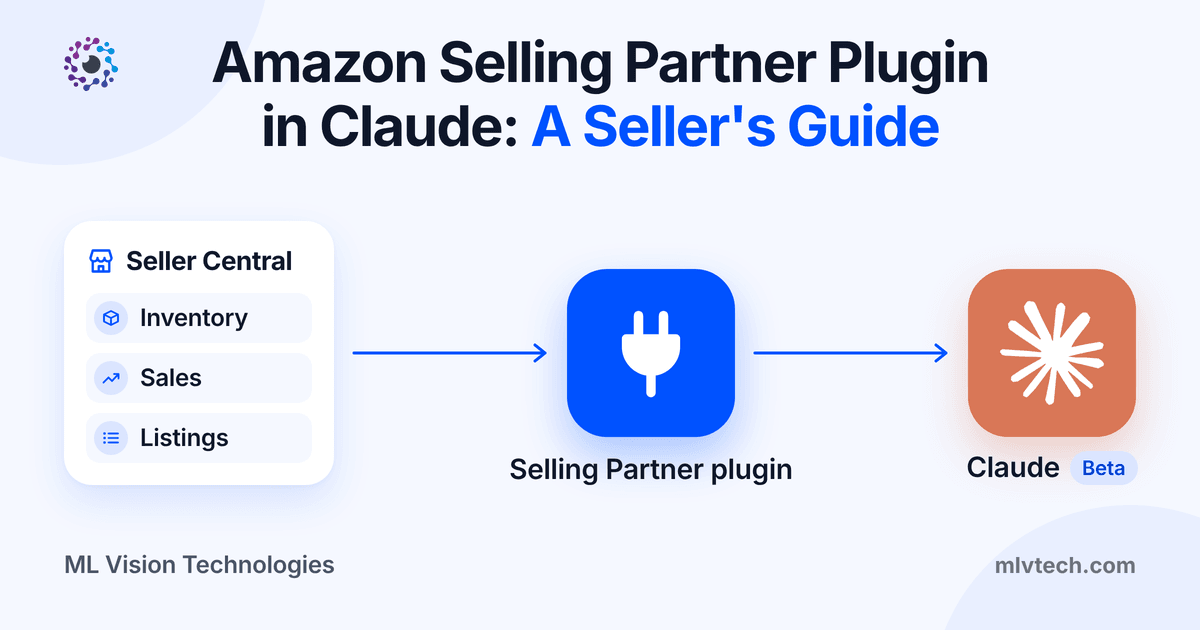
On September 23, 2026, Amazon launched the Amazon Selling Partner plugin. It brings Seller Central and Seller Assistant, Amazon’s built-in AI helper, into two outside AI tools: Amazon Quick, and Anthropic’s Claude in beta. You can now ask Claude about your stock, sales and listings, and have it draft changes for you to approve without opening Seller Central.
This matters because most sellers already work with AI. Amazon says 90% of its selling partners already use third-party AI tools to run their businesses. That is Amazon’s figure; the announcement gives no method. Until now that meant exporting reports and pasting numbers into a chat window. The plugin replaces that with a direct connection you control.
What is the Amazon Selling Partner plugin?
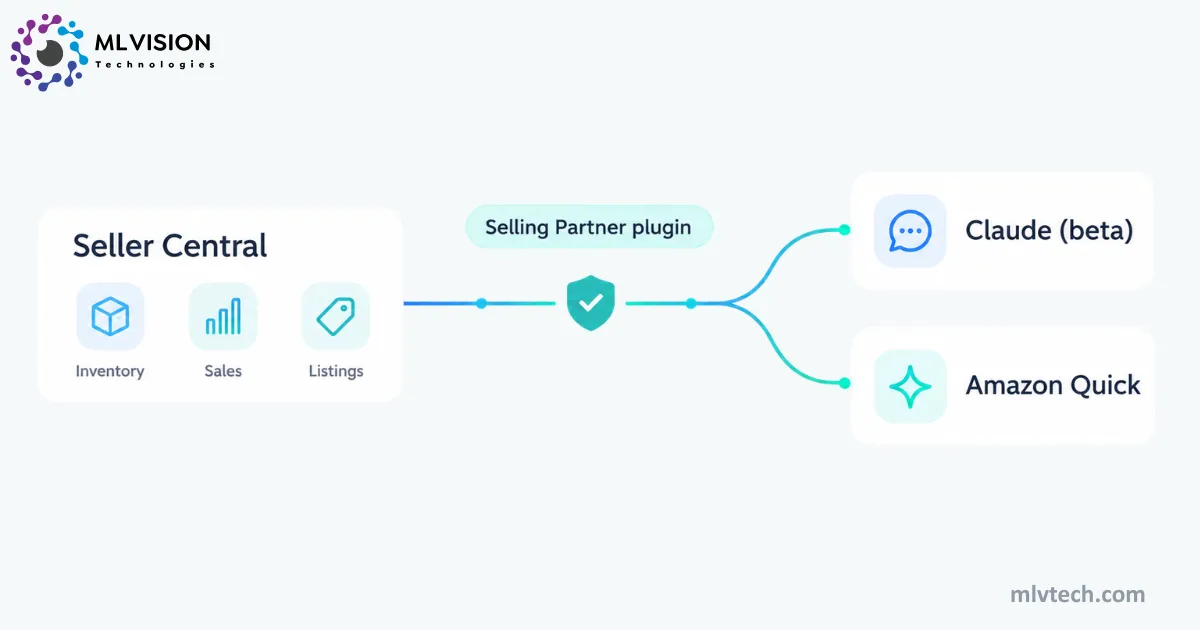
It is a permissioned connection between your Seller Central account and an AI assistant. Once connected, the assistant can work with your listings, real-time performance metrics, inventory levels and sales analytics, according to Amazon’s launch announcement.
The new part is that it can act, not just read. Your AI can draft a price change, a listing fix or an FBA shipment plan. Amazon says every action needs your approval and every plugin interaction lands in an audit trail.
Amazon published the plugin’s instructions as an open-source toolkit on GitHub. It confirms the assistant can only use the tools your Seller Central user role allows. In Claude’s directory it is listed as the Amazon Selling Partner connector, in beta. If you have seen it called the Claude Amazon plugin, it is the same thing.
How do you connect your Amazon seller account to Claude?
You connect it by adding the Amazon Selling Partner connector to Claude and signing in with your Seller Central account. Amazon says it takes roughly 60 seconds and needs no coding.
On the connector page, choose Add to Claude. You then sign in through Amazon’s standard Seller Central consent flow. The connector is labeled Anthropic verified and is made by Amazon. It is in beta (checked on Oct 22, 2026).
Amazon’s toolkit says the assistant can only use the tools your Seller Central roles allow, and that write actions are drafted for your approval before anything runs. Start with a read-only question, such as “Which SKUs have less than 30 days of supply?” The full setup table is in the next section.
What changed in Seller Assistant, Amazon’s Seller Central AI
Seller Assistant got three upgrades alongside the plugin. It now has memory of your pricing patterns, inventory cycles and growth goals, and Amazon says that memory follows you into Quick and Claude. It has a canvas, a visual workspace built from live data where you can compare pricing strategies. And it has always-on workflows: you describe a task in plain English, set guardrails, and it keeps running when you are logged out. You choose whether each workflow only recommends or also acts, and you approve actions first.
What can you do with Amazon Seller Assistant
in Claude?
These examples come from Amazon’s toolkit and announcement.
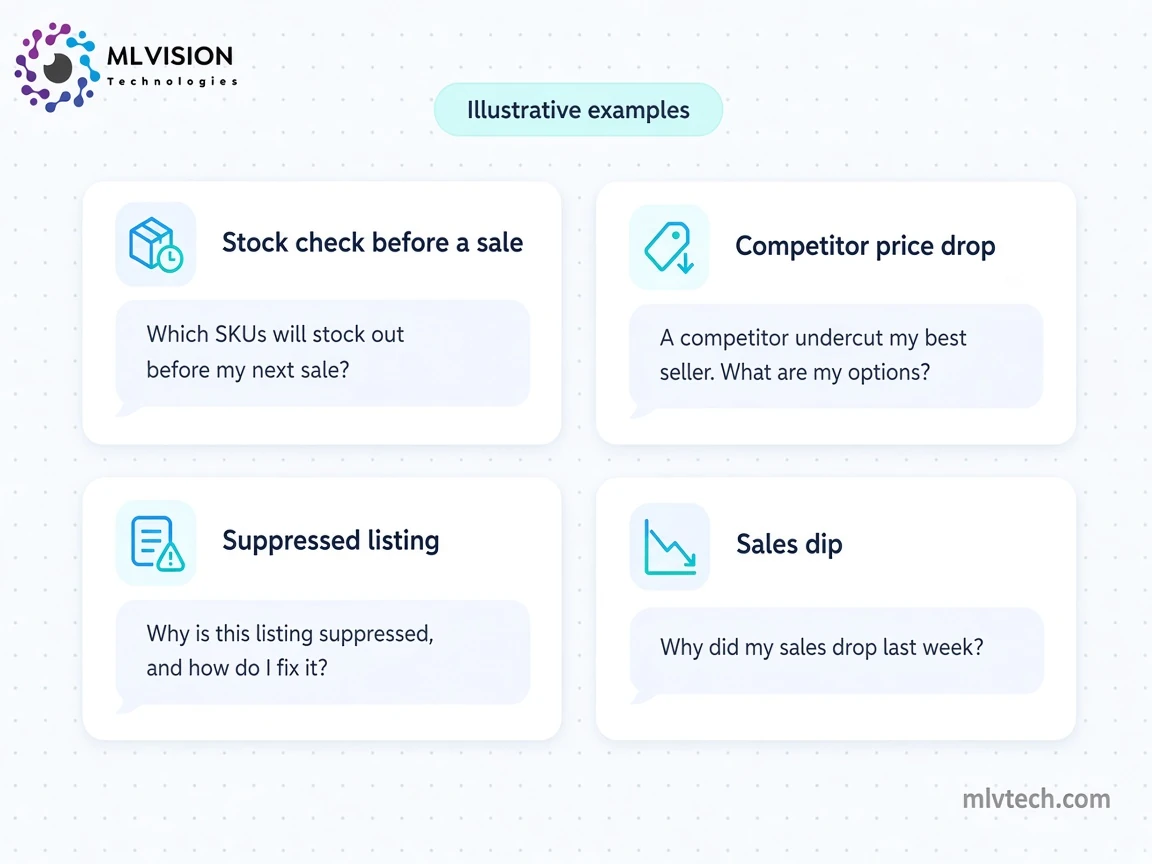
Check your stock before a big sale
Ask Claude which top SKUs will run out before your next promotion or peak week. The /sp-stockout-check command works from days of supply and sales velocity, suggests how much to reorder and by when, and can start an FBA inbound plan for you to approve. Run it early enough to get a shipment in.
React to a competitor’s price drop
A rival undercuts your best seller overnight. Ask Claude to show the competing offers and estimate your referral and FBA fees at a lower price. It won’t pick a price for you: the toolkit’s restock skill is written to give no pricing advice, and if you name a price it drafts that exact change for approval. We like that. The judgment call stays with you.
Fix a suppressed listing or a sales dip
/sp-fix-listing finds suppressed or inactive listings and previews a fix before anything changes. /sp-sales-drop works through why sales fell and suggests next steps. Pair it with a workflow like Amazon’s own example: alert me if any top 10 product falls below four stars and draft a response plan.
How to set up the Amazon Selling Partner plugin
in Claude
Amazon says connecting Claude takes roughly 60 seconds and no coding. Steps 2 to 4 come from Anthropic’s connector page and Amazon’s toolkit. The eligibility, waitlist and team-access details come from Seller Essentials’ summary of Amazon’s help page, since that page is only visible to signed-in sellers.
| Step | What to do |
|---|---|
| 1. Check eligibility | US stores only. Also needs a Professional selling plan; by default only account owners and admins can connect (per Seller Essentials). |
| 2. Add the connector | Open the Amazon Selling Partner connector and choose “Add to Claude”, or find it under Claude’s connectors settings. |
| 3. Sign in to Seller Central | You’ll see Amazon’s standard Seller Central consent screen. |
| 4. Grant only what you need | Pick your permissions and authorize. |
| 5. Wait if you are waitlisted | Some sellers get access right away; others join a waitlist and get an email when access opens (per Seller Essentials). |
| 6. Add your team | Admins grant other users access under Manage Agents in Seller Central’s permissions (per Amazon’s toolkit). |
Start with a read-only question, such as “Which SKUs have less than 30 days of supply?”, before you let it draft any change.
If you have a seller account, confirm the current rules on Amazon’s Seller Central Help page for the plugin (sign-in required).
Limitations: who can’t use it yet
This is a beta with real edges. We rechecked Amazon’s announcement, its toolkit and Claude’s connector page on October 22, 2026, and none of these limits had changed.
| Limitation | What it means |
|---|---|
| US stores only | International expansion is promised but not dated |
| Beta in Claude | Features and access can change |
| Professional selling plan | Required, per Seller Essentials and Epinium |
| Possible waitlist | Some sellers get access right away; others wait for an email |
| One account, one marketplace | Epinium notes the skills tell the assistant not to blend accounts or marketplaces |
| No Vendor Central | Third-party sellers only |
| Ads data not listed | Amazon’s announcement lists listings, performance metrics, inventory and sales analytics, but does not list advertising data. Check before you rely on it. |
| Your data leaves Amazon | Connected data is processed under the outside assistant’s terms (Seller Essentials). Keep approvals on |
Hitting one of these limits in your Amazon business? Tell us which one on a free 30-minute call:
Is Amazon Quick Plus free for sellers?
Yes, for a year. Every primary account holder worldwide can sign up for a free 12-month Amazon Quick Plus subscription through December 31, 2026, and name two co-workers who also get a free year. Quick Plus normally costs $20 per user per month billed annually, so three seats come to about $720 of value.
Amazon Quick is Amazon’s AI workspace for documents, spreadsheets, research, email and files. With the plugin, you can build your own pricing, listing or restock agents in it, and Quick waits for your approval before acting.
| Claude | Amazon Quick | |
|---|---|---|
| Plugin status | Beta | Launched |
| Cost of the plugin | Free (needs a Claude account) | Free (Quick Plus is free for 12 months for primary account holders until Dec 31, 2026) |
| What else it works with | Your other connected apps, such as accounting and supplier data | Documents, spreadsheets, research, email and files |
| Best for | Sellers who already use Claude to run their business | Sellers who want to build their own pricing, listing or restock agents |
Quick Plus pricing checked on Oct 22, 2026 on AWS’s Quick pricing page: $20 per user per month billed annually. Amazon’s free-year offer runs through December 31, 2026.
Our advice: if you are the primary account holder, claim it even if you prefer Claude. It costs nothing to try. Set a reminder for about 11 months out, because Amazon has not said what happens when the free year ends.
What this means for sellers: our honest take
We think the plugin is a good move. It is free, it comes from Amazon, and it kills the worst part of using AI for an Amazon business: the CSV shuffle. If you are a single-brand US seller who wants faster answers about stock, listings and sales, connect it. You may not need anything else, and you should not pay an agency for that.
But it is Amazon’s view of one Seller Central account. Four gaps stand out.
Ads. Claude can tell you sales dropped, but ad spend is not on Amazon’s list of connected data, so you may not see that your ad costs doubled the same week. For most brands those two numbers explain each other.
Margin and profit. The plugin can estimate fees at a given price, but it has no settlement reconciliation or per-SKU profit. A SKU that sells well is not always a SKU that makes money after product cost, fees, ads and returns.
Multiple marketplaces and accounts. One at a time works for a solo seller. It gets clumsy for a brand selling in the US, Canada and the UK.
The rest of your business. Your Shopify store, QuickBooks and supplier lead times live elsewhere. In Amazon’s announcement, Anthropic describes the plugin working alongside the accounting and supplier connections sellers already use in Claude. That helps, but answers are only as good as how cleanly the data lines up. A product named one way in Amazon and another way in your books will not reconcile itself.
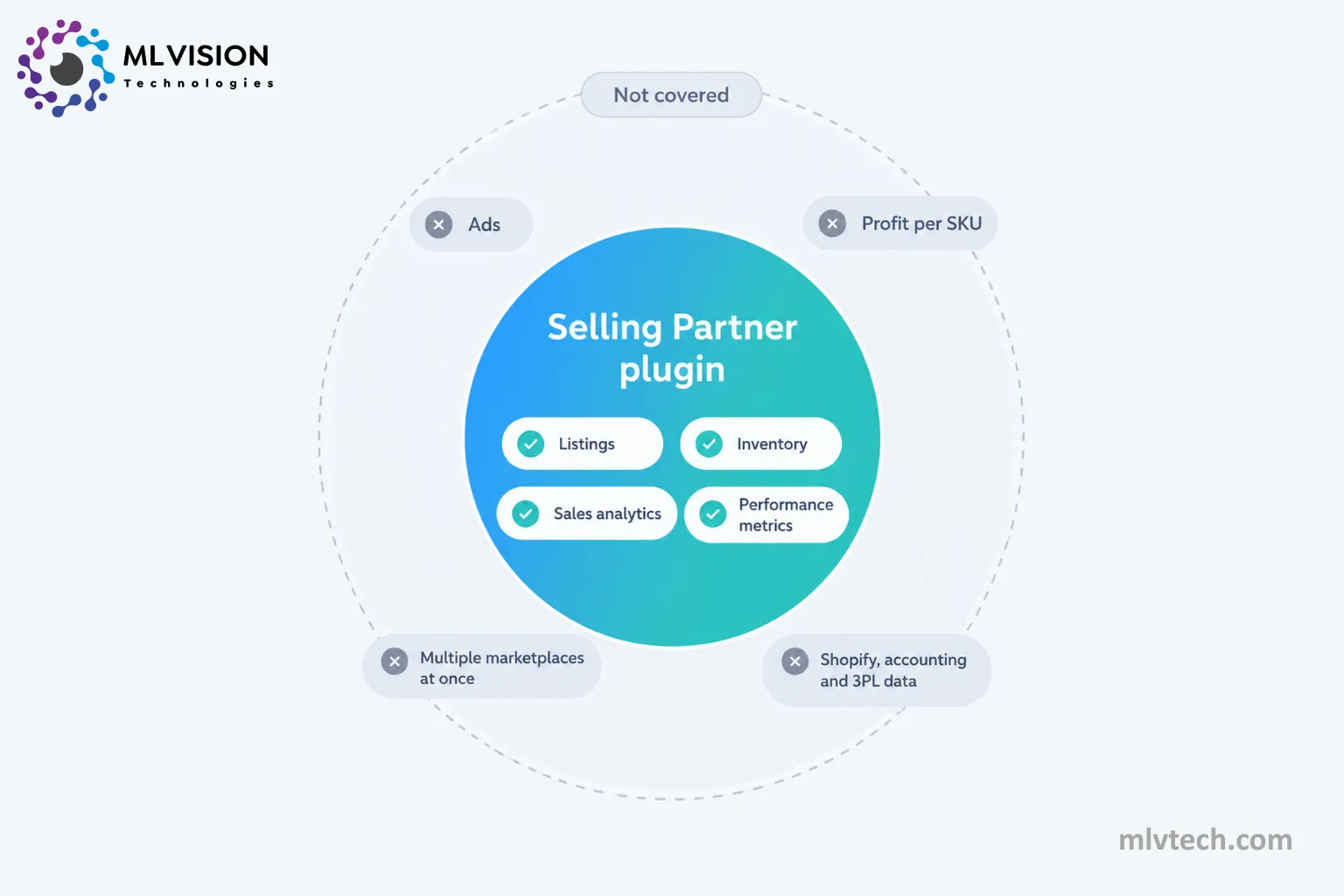
That last layer is where we work. At ML Vision Technologies, we build data pipelines that bring Amazon sales, ads and fees together with your other systems, dashboards that show true profit per SKU, and AI agents that act on the full picture. We already do this work for Amazon wholesalers. The plugin makes the Amazon piece easier. It does not replace the plumbing that connects Amazon to everything else.
Where to go from here
Connect the plugin, ask it a few read-only questions, and see what it answers well. If you want Projects, Skills and reports built around Seller Central in Claude, see Claude setup for Amazon sellers, which starts from $500. For ad reviews, our free Claude Skill for Amazon PPC search term reviews is a good first step. If you hit the gaps above, such as ads, margin, several marketplaces or data spread across tools, we are happy to take a look.
Frequently asked questions
Is the Amazon Selling Partner plugin free?
Can I use the Amazon Selling Partner plugin outside the US?
Can Claude change my prices or listings on its own?
Does the plugin include Amazon Ads data?
What is the difference between Seller Assistant and the Selling Partner plugin?
Is the Selling Partner plugin an Amazon plugin or a Claude plugin?
What does the Amazon Selling Partner connector do with my data?
Still exporting Amazon numbers into spreadsheets?
We build the pipelines and profit dashboards Amazon wholesalers need, sales, ads, fees and the systems Seller Central doesn't connect.