BlogAutomation
Amazon PPC AI: a free Claude Skill for search term reviews
On this page
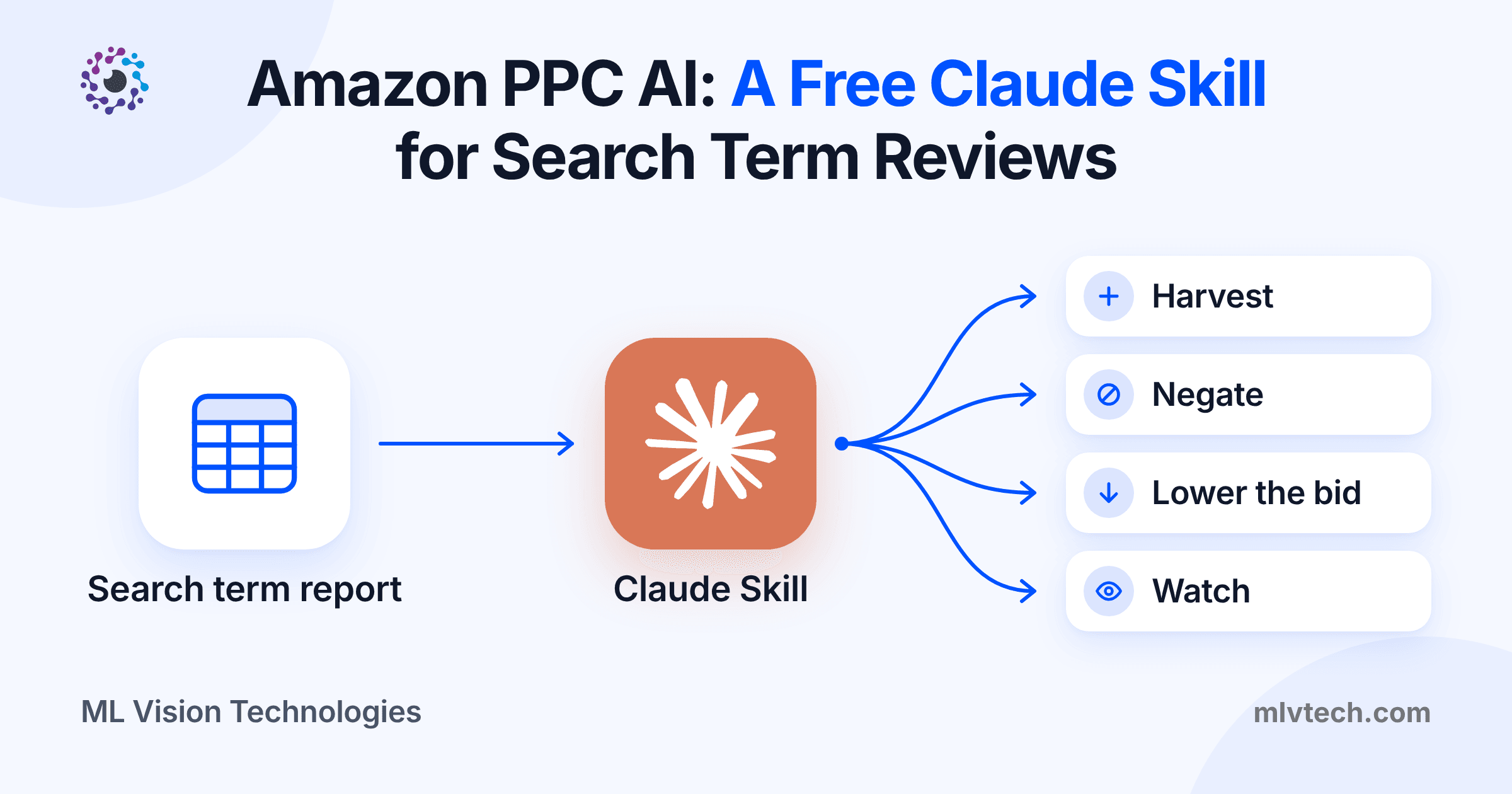
Amazon PPC AI doesn’t have to mean new software. Download your search term report, give it to Claude with the free Skill on this page, and you get four lists back: search terms to harvest, terms to add as negatives, targets whose bids should come down, and terms to keep watching. Claude recommends every change, and you make it in Amazon Ads yourself.
Below you’ll find the Skill, how to set it up, and what it found when we ran it on a sample report.
Free downloads, no email needed:
What the Skill does
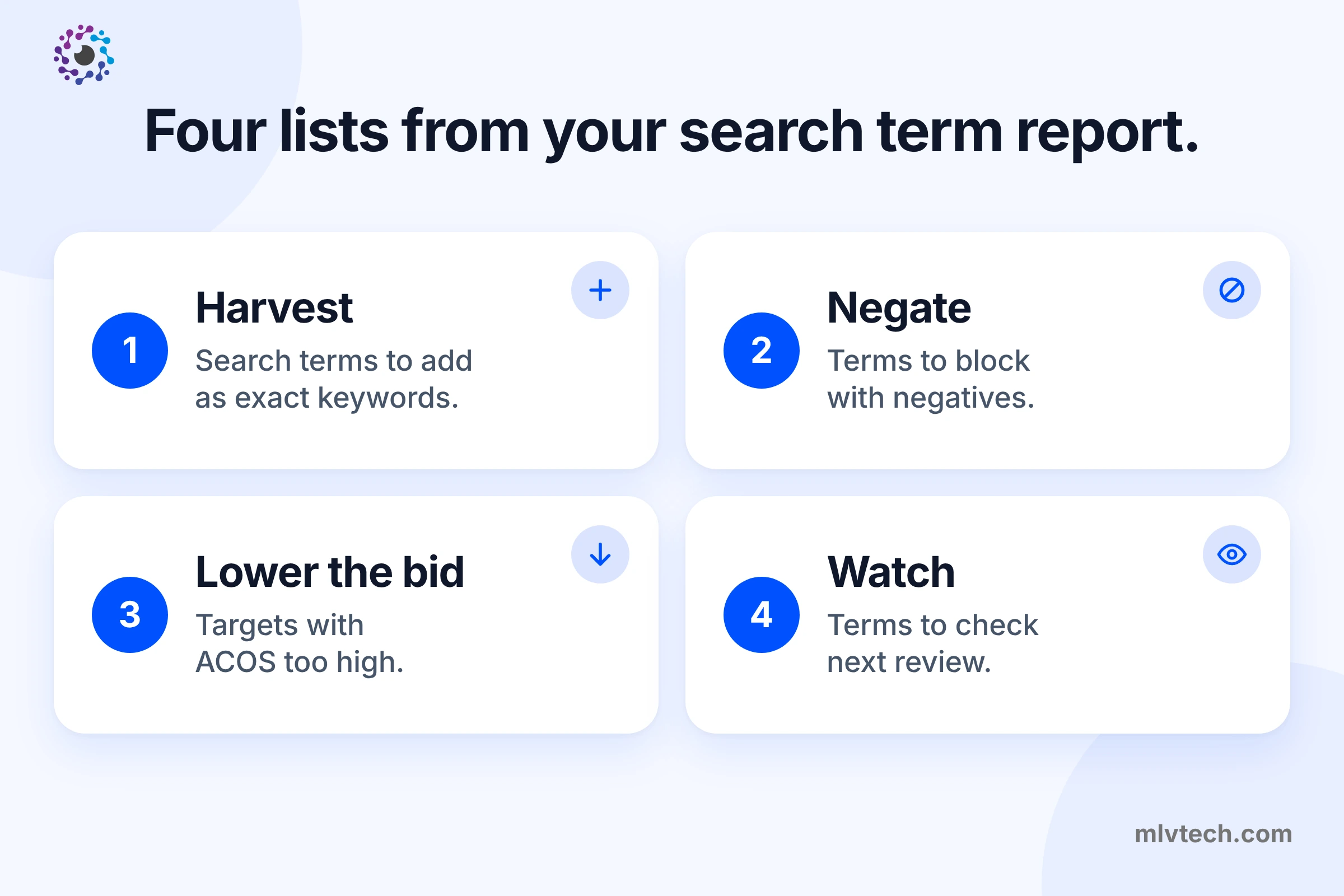
| List | What goes on it | What it tells you to do |
|---|---|---|
| Harvest | Search terms with 2 or more orders at or below your target ACOS | Add the term as an exact match keyword in a manual campaign, and as a negative exact in the ad group it came from |
| Negate | Terms with no orders after a fair number of clicks, or after spending 1.5 times what an order should cost | Add a negative exact, or a negative product target if the term is an ASIN |
| Lower the bid | Keywords or targets whose ACOS is more than 1.2 times your target | Cut the bid to bring ACOS back to target, by no more than half at once |
| Watch | Terms with too little data, or close to target | Check them again at the next review |
The Skill never changes your campaigns. Every recommendation comes with the numbers behind it, and you decide.
Why a Skill works better than a prompt
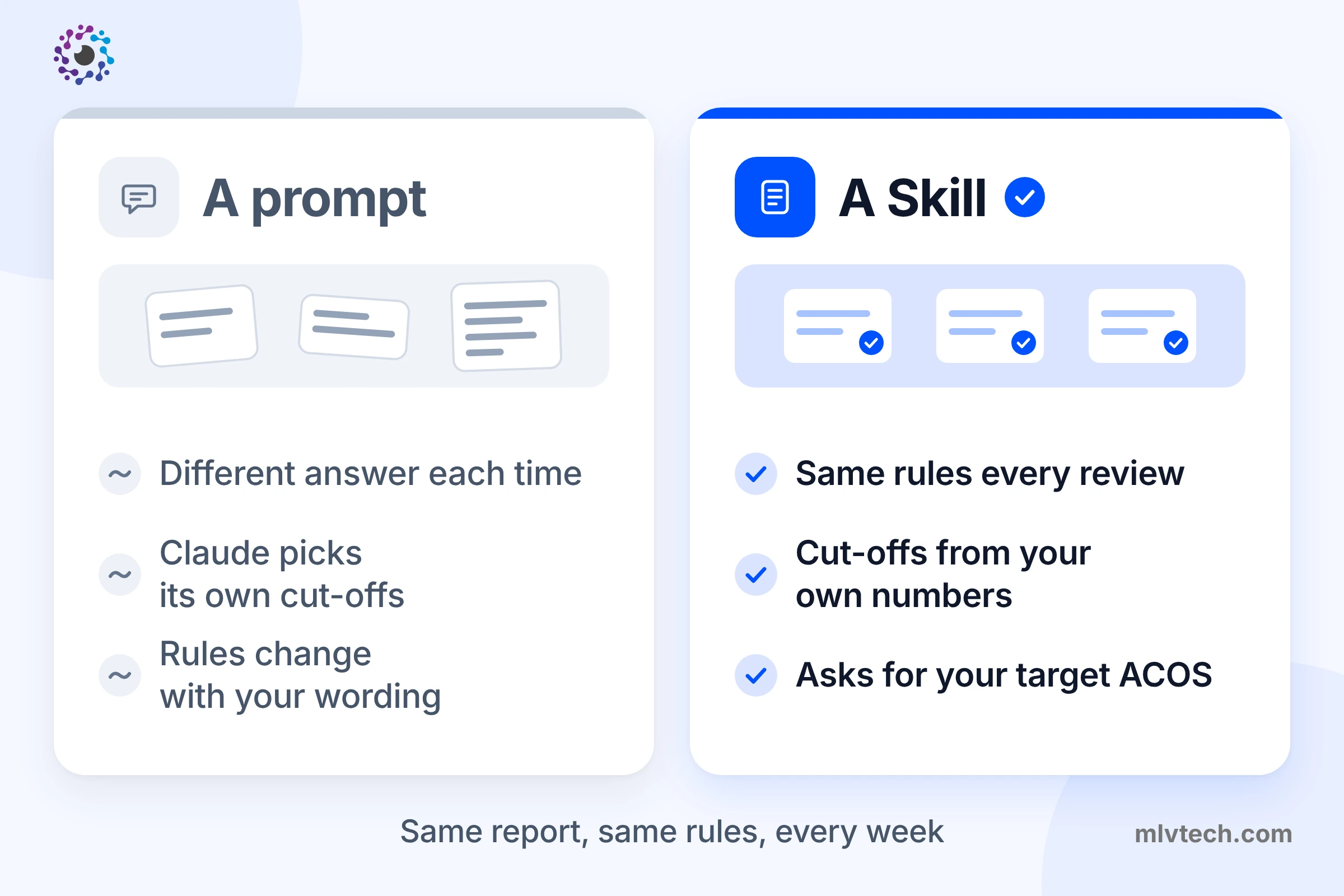
You could paste your report into Claude with a prompt like “find my wasted ad spend”. You’d get an answer, but a different one each time you phrase the question, and Claude would choose its own cut-offs.
A Skill is a saved set of instructions Claude follows the same way every time. This one works out its cut-offs from your own numbers, such as your average order value and conversion rate, so it fits a $15 product and a $150 product alike. It asks for your target ACOS instead of guessing, because every decision depends on that number. Run it this week and next week, and both reviews use the same rules.
How to set it up
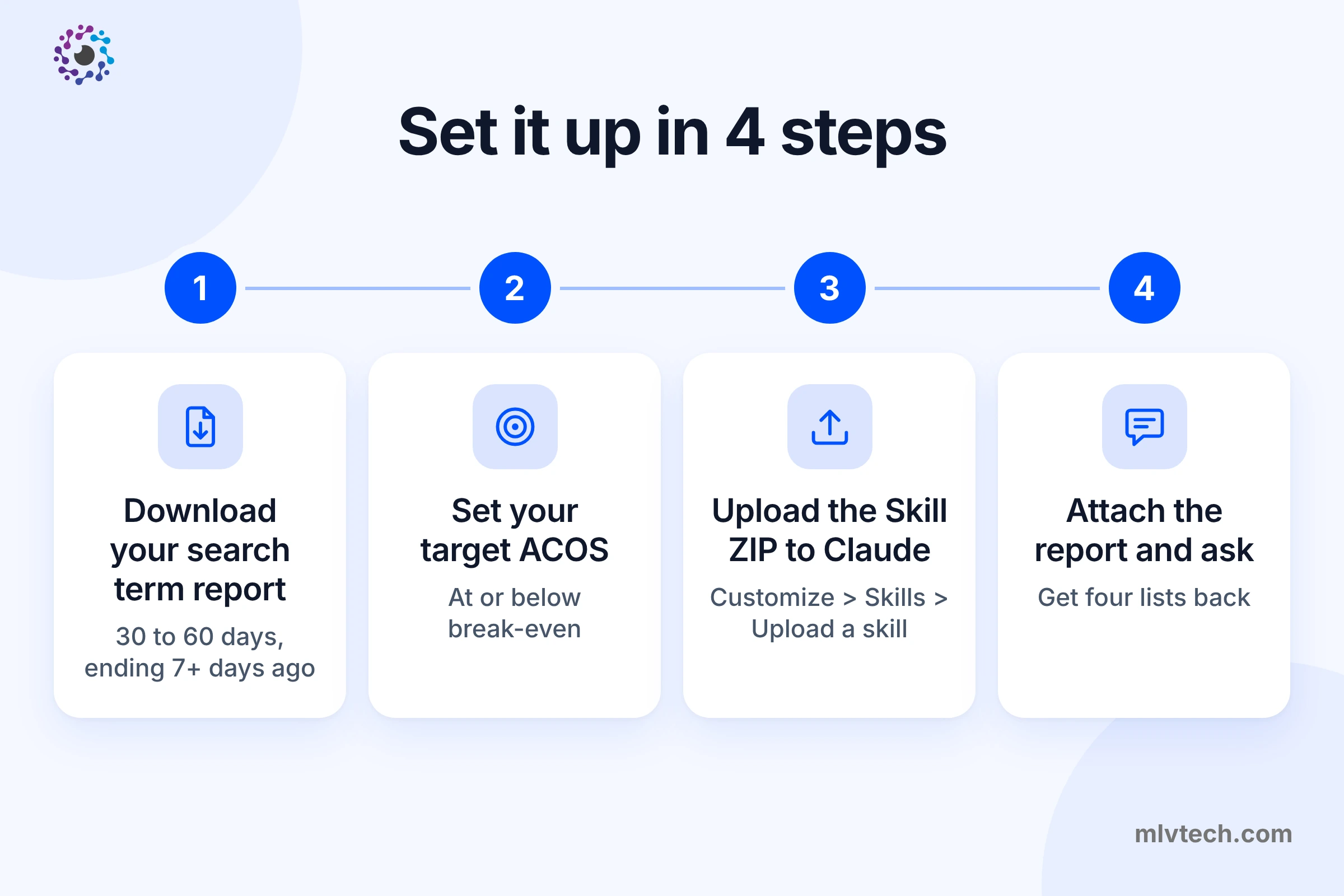
1. Download your search term report
In Amazon Ads, open Measurement and reporting, go to Sponsored ads reports and click Create report. Choose Sponsored Products as the category and Search term as the report type. Pick a period of 30 to 60 days that ends at least 7 days ago: sellers’ Sponsored Products sales are counted for 7 days after a click, so the most recent week is still filling in.
The report only lists search terms that got at least one click.
2. Work out your target ACOS
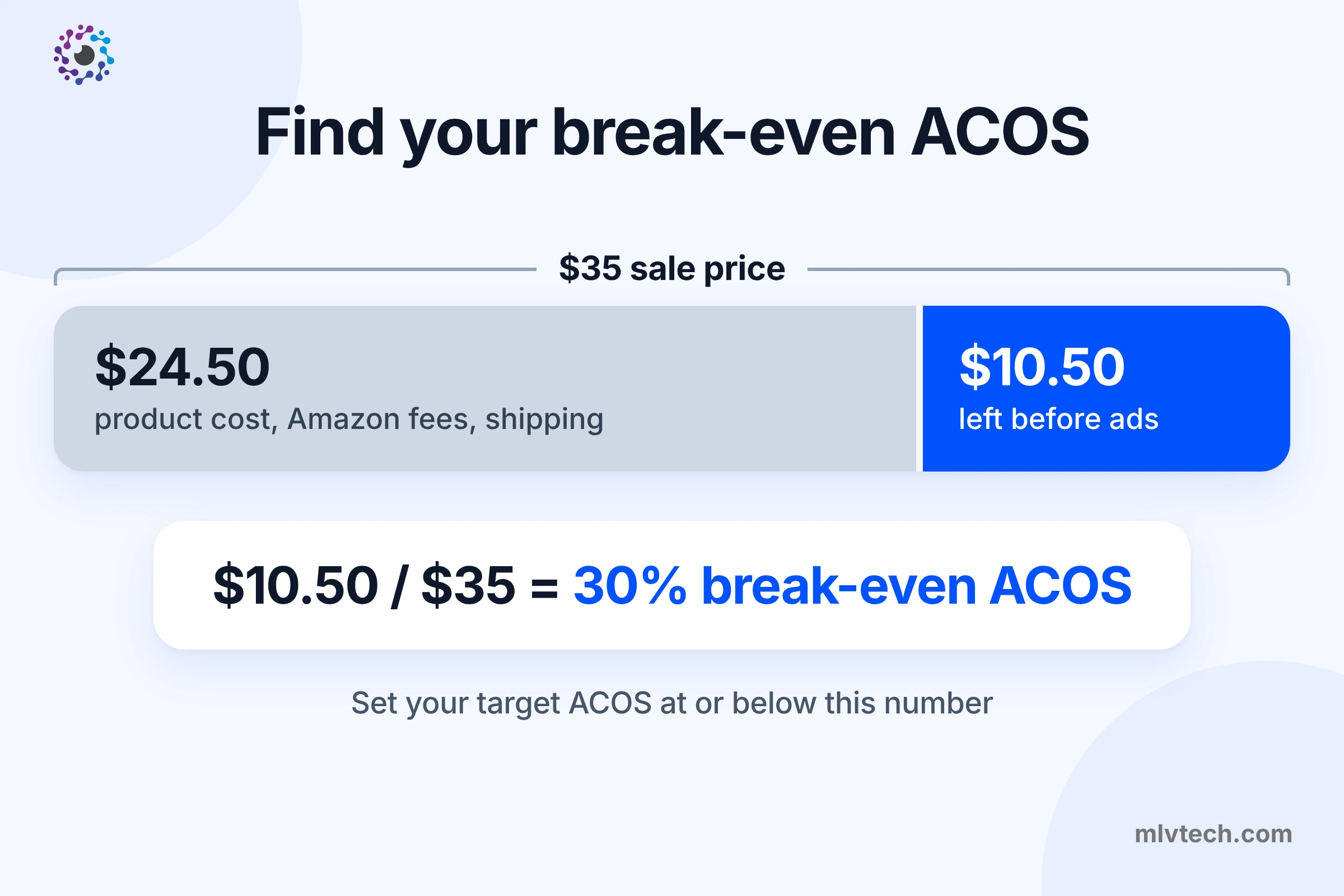
ACOS is ad spend divided by ad sales. Your break-even ACOS equals your profit margin before ad costs. If a $35 product leaves you $10.50 after product cost, Amazon fees and shipping, break-even is 30%. Set your target at or below that. If you don’t know your margin, the Skill asks for your price and costs.
3. Add the Skill to Claude
Skills work on every Claude plan, including the free one, but they need code execution switched on. Go to Settings, then Capabilities, and turn on Code execution and file creation.
Then open Customize, then Skills, click +, choose Create skill, then Upload a skill, and select the ZIP file you downloaded. On Team and Enterprise plans, your admin controls whether skills are available.
4. Run your first review
Start a new chat, attach the report, and type something like this:
Review my search term report. Target ACOS 30%. My brand name is Tavorra.
Claude picks up the Skill on its own. If it doesn’t, start your message with “Use the Amazon search term review skill”.
What it found in a sample report
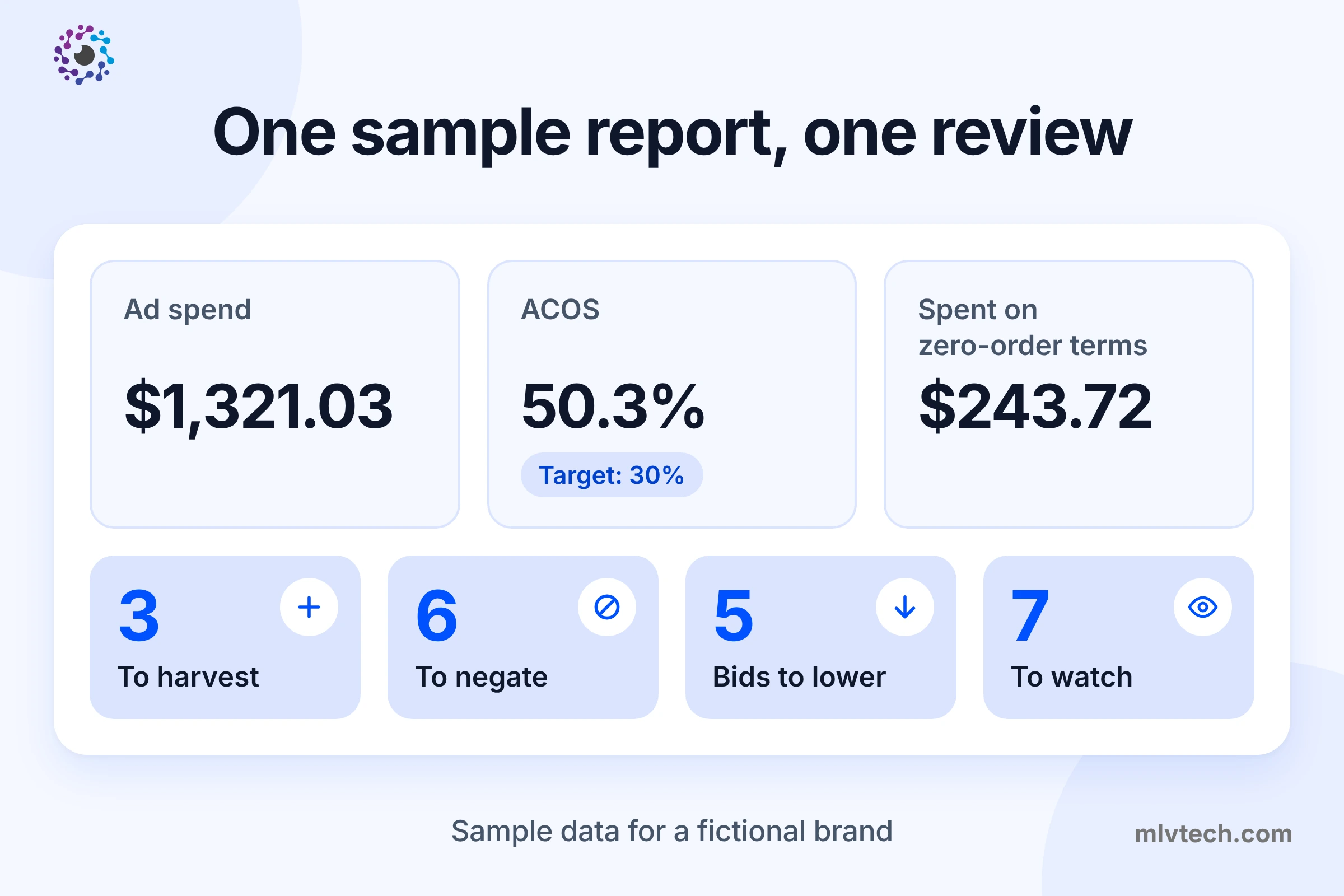
We ran the Skill on a sample report for a made-up bamboo cutting board brand, Tavorra. It covers one month, 26 search terms and $1,321 of ad spend. The numbers are invented to show how the Skill works, not taken from a real account. The same file is in the downloads above, so you can run it yourself and compare.
The summary
Ad spend was $1,321.03 and ad sales were $2,624.25, an ACOS of 50.3% against a 30% target.
$243.72, about 18% of spend, went on search terms that brought no orders.
The Skill worked out its cut-offs from the report: an average order of $34.99, a target cost per order of $10.50, and a conversion rate of 6.9%. At that rate, a term needs 30 clicks without an order before it’s judged.
Harvest: 3 search terms to target directly
| Search term | Clicks | Spend | Orders | ACOS | Action |
|---|---|---|---|---|---|
| cutting boards for kitchen | 64 | $67.20 | 7 | 27.4% | Add as exact keyword |
| cutting board with juice groove | 41 | $36.90 | 5 | 21.1% | Add as exact keyword |
| b0c4xk2m7p (a similar product’s ASIN) | 27 | $22.95 | 4 | 16.4% | Add as product target |
It also caught one overlap. “bamboo cutting board set” converts well in the auto campaign, but it’s already an exact keyword. Instead of adding it again, the Skill recommends a negative exact in the auto campaign, so the exact campaign gets that traffic.
Negate: 6 search terms that sold nothing
| Search term | Clicks | Spend | Why |
|---|---|---|---|
| plastic cutting board | 46 | $42.32 | 30 or more clicks, no orders |
| charcuterie board | 38 | $41.80 | 30 or more clicks, no orders |
| glass cutting board | 33 | $37.95 | 30 or more clicks, no orders |
| marble cutting board | 21 | $25.20 | Spent over $15.75, no orders |
| b0b8rt5n2q (an ASIN) | 22 | $17.60 | Spent over $15.75, no orders; negative product target |
| knife set | 14 | $16.80 | Spent over $15.75, no orders |
$15.75 is 1.5 times the target cost per order. Together these six terms cost $181.67 in the month.
The Skill left “tavorra cutting board” off this list. It spent $20.40 with no orders, but it’s a search for the brand’s own name, which sellers often keep on purpose, so it’s listed separately for you to decide.
Lower the bid: 5 targets
| Keyword or target | Match type | ACOS | Average CPC | New bid |
|---|---|---|---|---|
| cutting board | Broad | 56.5% | $1.23 | $0.65 |
| cutting board set | Exact | 75.8% | $1.70 | $0.85 (capped at half) |
| bamboo cutting board | Phrase | 51.1% | $1.36 | $0.80 |
| butcher block cutting board | Exact | 195.5% | $1.90 | $0.95 (capped at half) |
| Loose match | Auto | 55.0% | $0.95 | $0.52 |
Bids are set on the keyword or target, not on the search term, so the Skill judges each target on all its search terms. It leaves out the ones already headed for the negative list, since they’ll stop costing money once they’re blocked.
Two of the cuts hit the limit of half the current bid. A bigger cut can stop an ad from showing at all, so the rest waits for the next review.
Watch: 7 search terms
The biggest is “bamboo cutting board set” on exact match: 12 orders at 35.1% ACOS, just above the 30% target but under the 36% line where the Skill would cut the bid. “large cutting board” runs at 42.9%, but its target is fine overall, so the bid stays and the term gets another look next time. “free cutting board” has only 8 clicks so far. If it reaches the threshold without an order, the Skill will suggest a negative phrase on “free”.
Before you apply anything
Read the negatives against your product. A term can look wasteful and still describe what you sell, for example when your listing is missing a word shoppers use.
Change bids no more than every 1 to 2 weeks, so each change has time to show in the numbers.
Run the review again on a fresh report once the changes have settled.
Amazon PPC AI software vs a Claude Skill
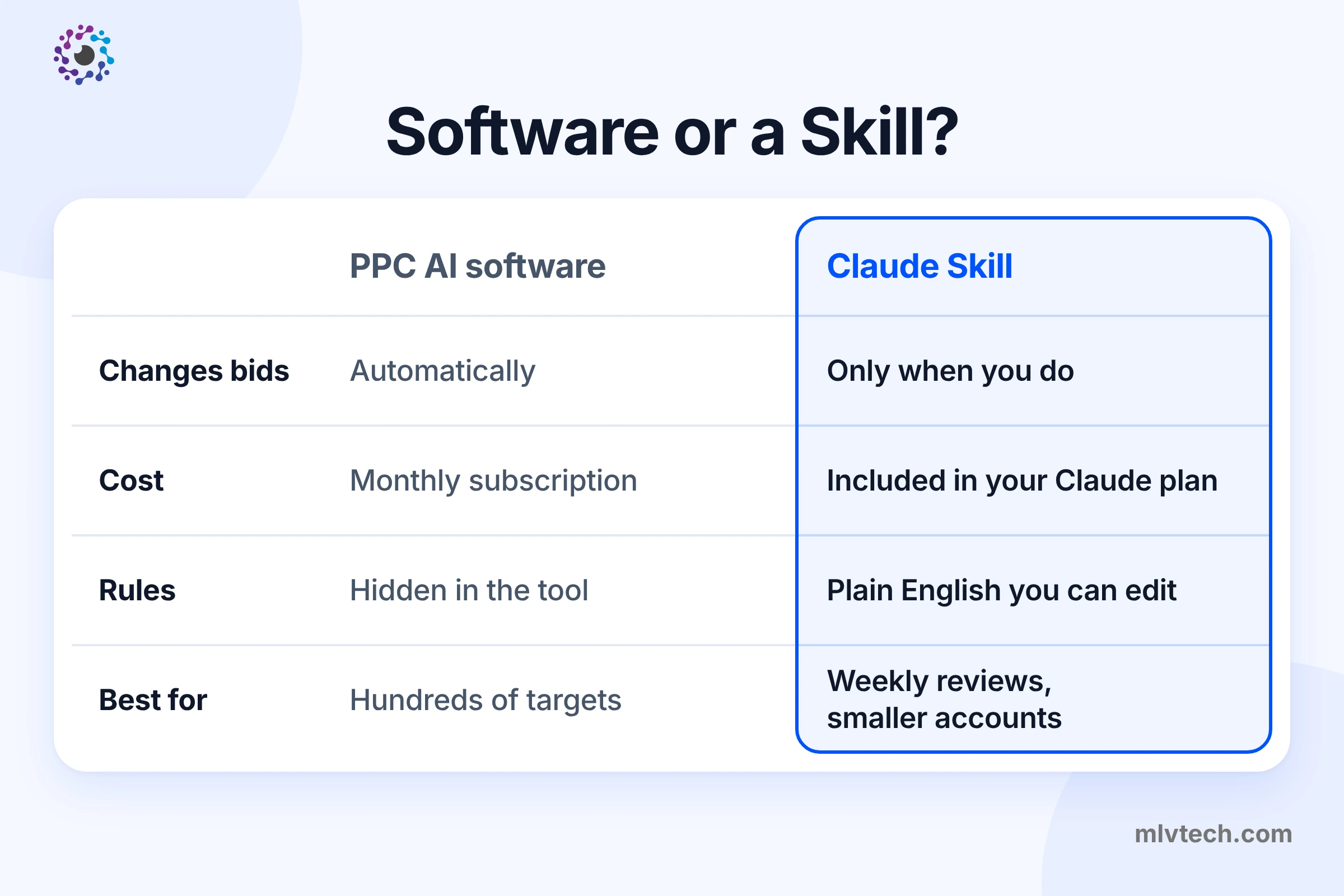
Amazon PPC AI software adjusts your bids automatically. It suits accounts with hundreds of targets, or sellers who want to step away from the ad console altogether.
A Claude Skill is a review you run when you choose. It costs nothing beyond your Claude plan, its rules are written in plain English you can read and change, and nothing changes in your account until you make the change yourself. For a smaller account, a weekly review like this may be all the AI its Amazon advertising needs.
If you already use Amazon’s Selling Partner plugin for Claude, you still need the report download. The plugin reads Seller Central data but doesn’t include advertising data. Our guide to the Amazon Selling Partner plugin covers what it can and can’t do.
Want Claude set up across your Amazon business?
This Skill handles one weekly job. A full setup covers the rest: Projects that know your products, Skills for listings and stock checks, and connections to Seller Central and the other tools you use, built around how your team works.
Frequently asked questions
Is the Skill free?
Will Claude change my campaigns?
How often should I run it?
Does it work for Sponsored Brands or Sponsored Display?
Can I change the cut-offs?
Does it work with ChatGPT?
Want Claude set up across your Amazon business?
This Skill handles one weekly job. We build the rest: Projects, Skills for listings and stock, and connections to Seller Central and your other tools.